
Puddle Accuracy
- True positive detection rate
- 97.1%
- False positive rate
- 0.8%
On-server · NVIDIA Jetson
VisionAery Liquid Leak Detection runs as a set of containers on NVIDIA Jetson modules, from the Orin Nano to AGX Orin and Jetson Thor. A fanless edge box takes RTSP streams from the cameras you already have and runs detection on the module's GPU, at a pad, a pump station or a plant.
VisionAery has detected liquid leaks on operating sites since 2023. V4, the fourth generation, shipped on Axis ARTPEC-9 on September 29, 2026 and ships on the other platforms November 15, 2026.
 Ships November 15, 2026
Detect puddles, spray, and visible vapor day or night. After dark, LLD works with artificial lighting or the camera's near-infrared (NIR) illumination.
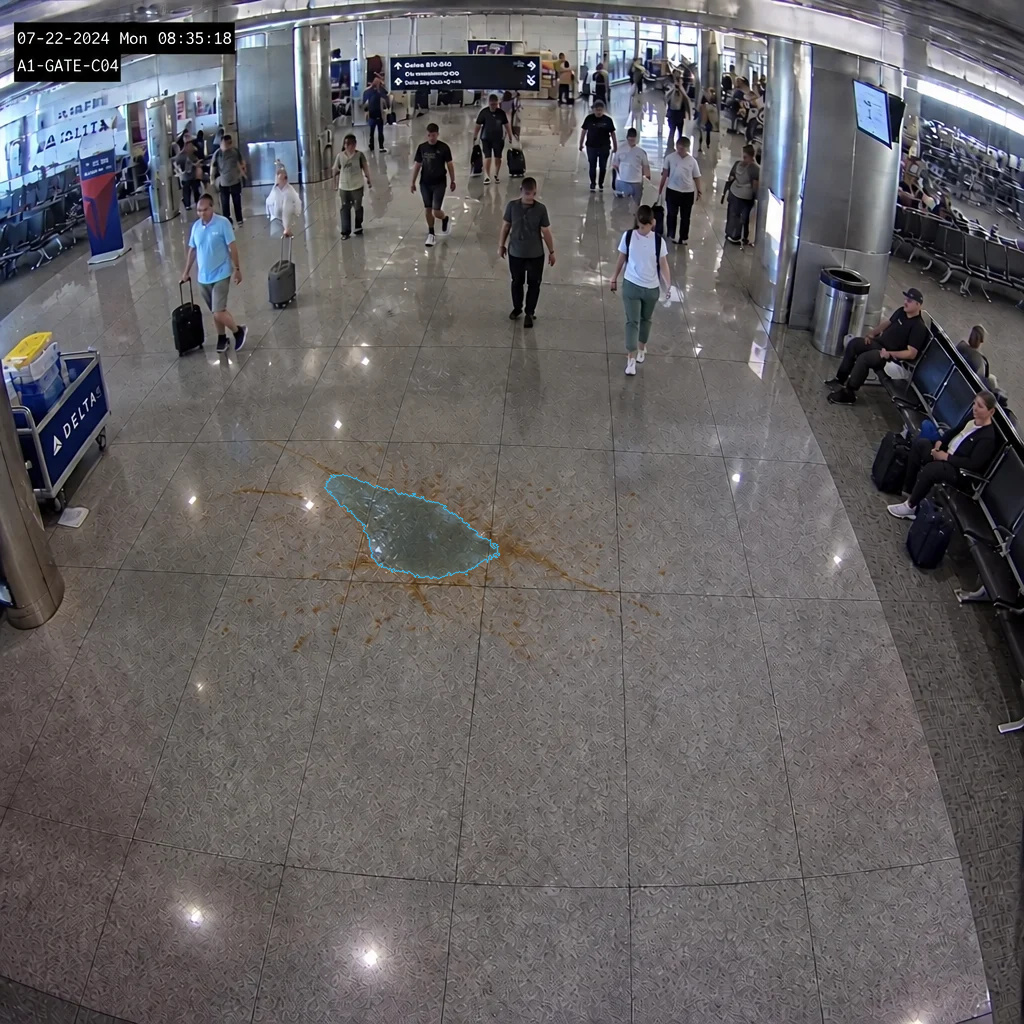
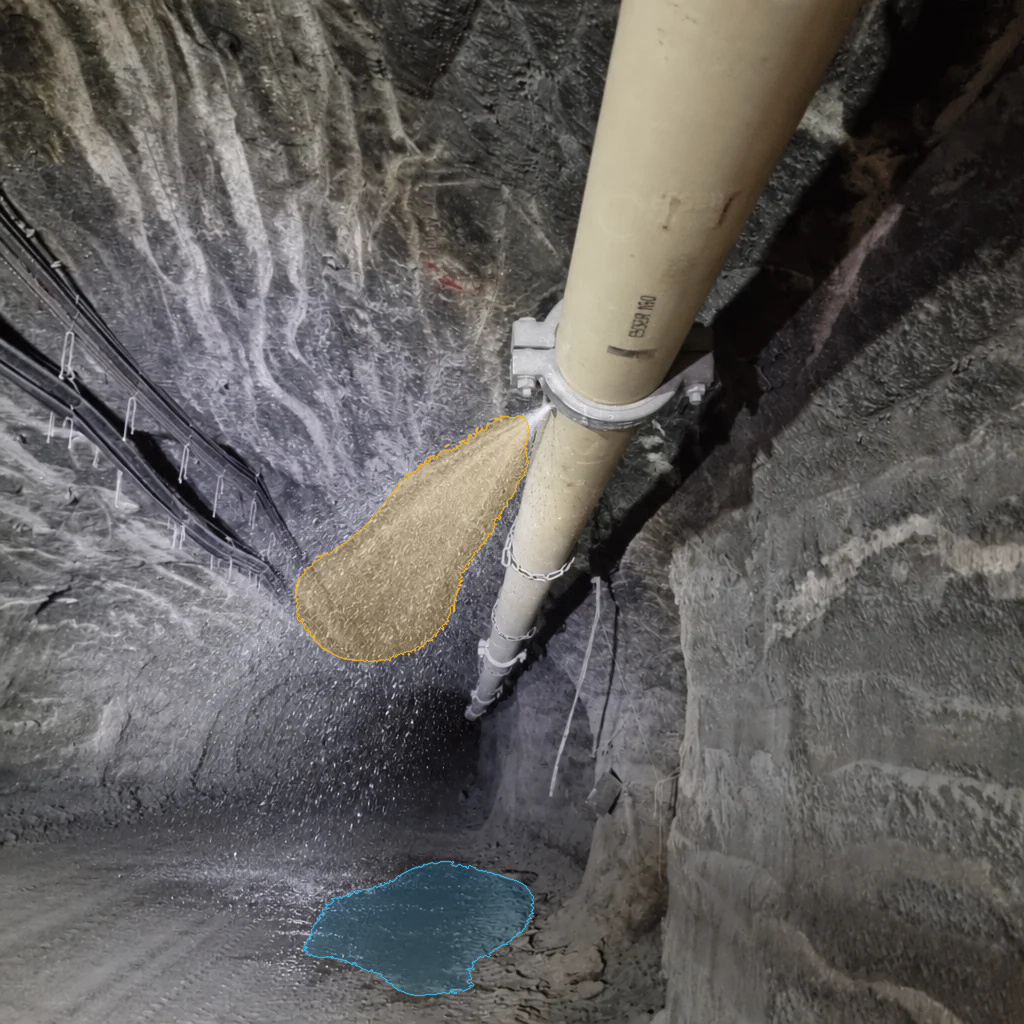
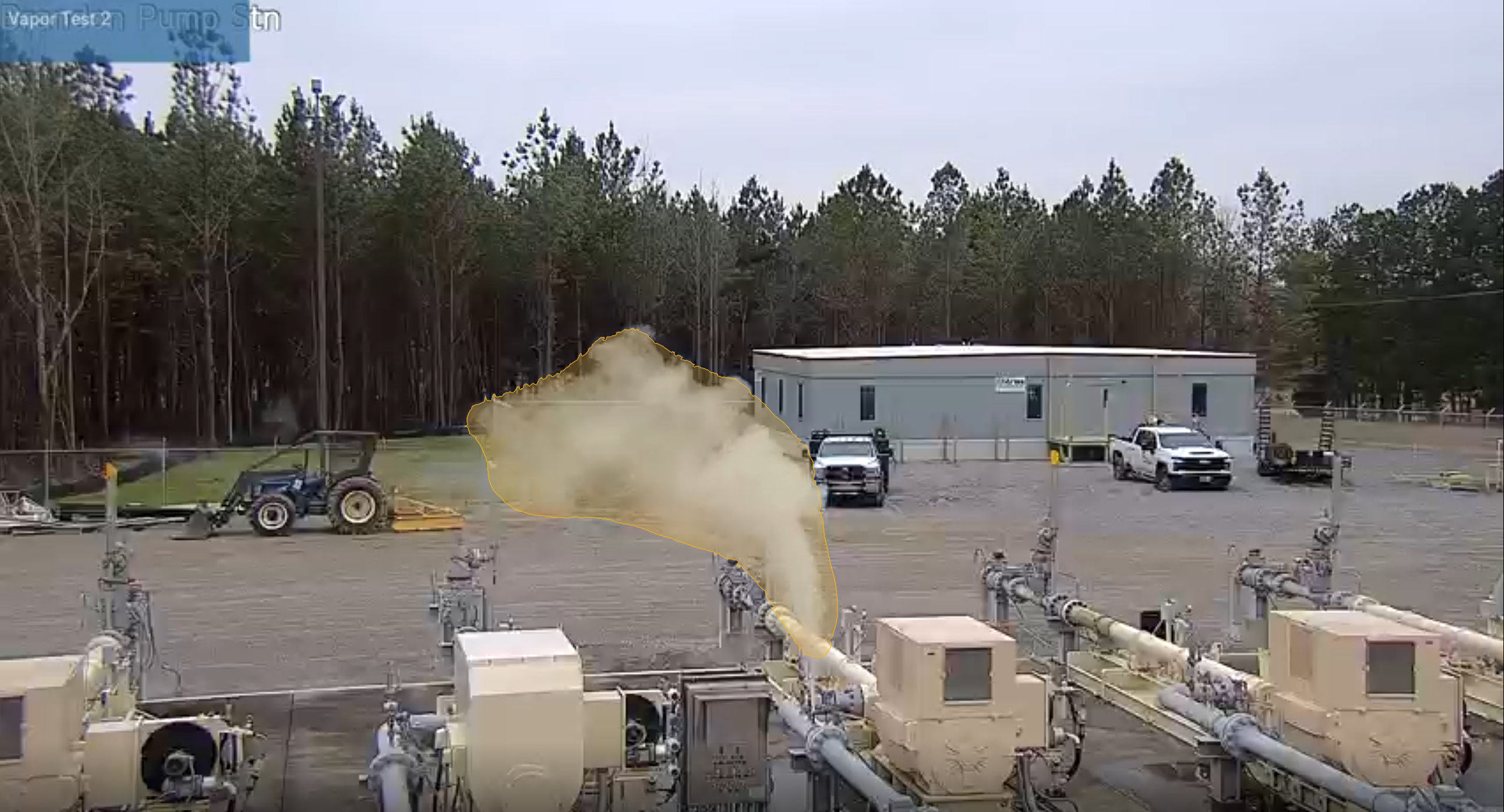
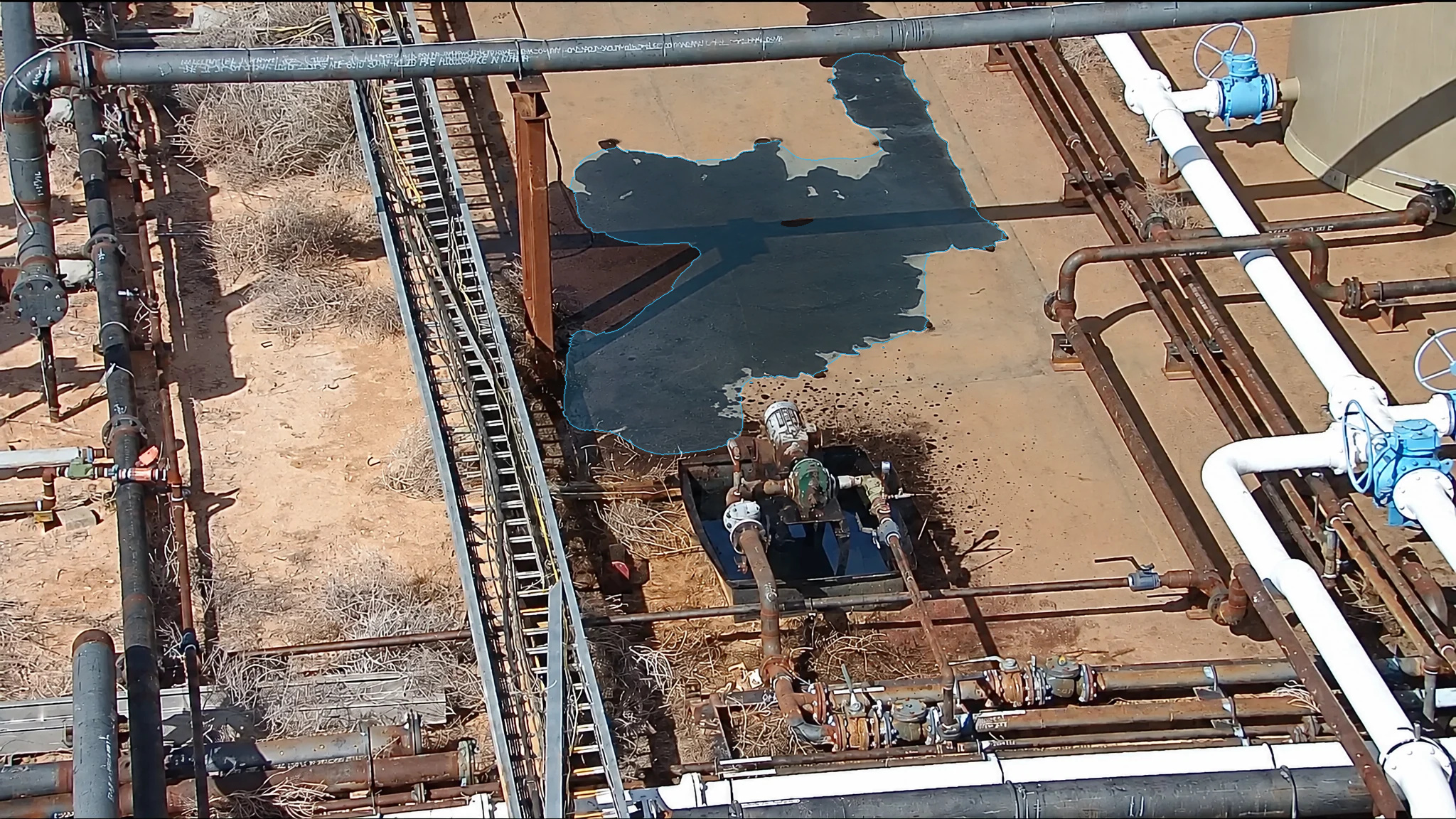
Accuracy was evaluated with 9,147 previously unseen frames, without per-site training, before the alarm engine was applied. Spray and visible vapor share a combined benchmark.
Read the Benchmark MethodologyPut leak detection in the cabinet at the site. One compact, fanless module watches every camera that can reach it, stages the alarms, and feeds the VMS, SCADA and notification systems you already run. Nothing goes to the cloud.
The application ships as four containers that start with one command: the core, the gateway that serves the console and every stream, a video module and an inference module built for the Jetson's GPU.
A Jetson Orin or Thor module on a carrier board of your choice, flashed with NVIDIA JetPack, with Docker and the NVIDIA Container Toolkit that JetPack provides.
The video module decodes on the module's hardware and the inference module runs the model on its GPU. The console, the alarm engine, the integrations and the license are the same as on every server platform.
Place the files on the server and bring the stack up with Docker Compose. The console is served on port 443 by default; both ports are settable at install for hosts that already use them.
A site with no route to the internet installs from a single verified bundle with a SHA-256 beside it. No component of the application needs a connection beyond the server itself. A pole-mounted box with a cellular link never needs to reach a registry.
Open the console in a browser, set the admin password and accept the EULA. The acceptance is recorded on the device.
A new release is loaded the same way. The previous release can be restored, configuration and images together, from a restore point saved before the upgrade.
Try it free for thirty days. Then license by camera channel, yearly or outright, with support if you want it. One license covers every channel on the device. The license binds to the Jetson module's own hardware identity.
The full product with every integration on one camera channel. Draw zones, test in your environment, and verify integrations. Longer trials granted upon request.
Pay yearly and always run the current version. Updates and support are included while the subscription is active.
Own the license outright. Add an optional support plan ($150 per year) for updates and help from the people who built it.
On Device › License, download the license request. It is a small file that identifies this server by a fingerprint of its own hardware. It carries no keys and nothing secret.
Send the request with the number of camera channels you want. Trial requests are free.
Upload the license file on Device › License. It is verified before anything is written and takes effect without a restart. Every license is bound to the hardware it was issued for.
A license carries a number of seats. Each configured camera channel holds one. Add a channel, and the console shows the seats in use; need more, install a larger license.
The console warns for thirty days before an annual license expires, and detection keeps running through a fourteen-day grace period after it.
Add the cameras you have, choose what each one watches, and tune detection to each scene.
Each camera is a channel. Add one by pasting its stream address, or use the built-in stream settings for Axis and Hanwha cameras, which build the address from a stream tier or a profile already on the camera. Credentials are stored separately from the address and never shown again. The Overview shows every channel as a tile with its latest overlay still and its alarm state.
The server connects to the camera and reports the codec, resolution, frame rate and bitrate it got, or says why it could not.
Three stream tiers. Low and Medium ask the camera for high resolution at a low frame rate and a capped bitrate, because detection needs detail, not motion. High is the camera's own default stream. H.264 streams.
The console can drive the camera: jog, go to a preset, save presets and run guard tours over Axis VAPIX or Hanwha SUNAPI. An Axis camera reports each preset it reaches, and only that preset's zones are evaluated after a short settle delay.
Keep the full view, or on an Axis camera point the channel at a view area for more pixels on the area that matters.
In the zone editor, draw areas of interest on the camera's own picture to define where LLD should look for leaks, and exclusion zones to leave unwanted areas out of detection. Exclusion always wins.
On a PTZ channel every zone belongs to one preset and is evaluated only when that preset is in view, so one camera can monitor several areas across a site.
Add as many interest and exclusion zones as you need. Each interest zone has its own alarms, telemetry and alarm-progression settings.
Name each area of interest and choose puddle detection, spray detection, or both. Then select the sensitivity that fits the scene and your operational needs.
Your best chance of quick detection, with a higher chance of false and nuisance alarms.
A balance between detection speed and reducing false and nuisance alarms.
Takes longer to detect, but prioritizes alarm accuracy with the lowest false and nuisance alarm rates.
Need more control? Open Advanced to customize the settings for your application. New-zone defaults are set once for the device, so every zone you draw starts the way your site wants it.
Check your monitored areas after dark, too: artificial lighting or the camera's NIR illumination should keep the scene clearly visible.
The server publishes once and every connected system gets the same alarm at the same moment. Add as many outputs of each kind as the site needs: two brokers, two VMS servers, a night-shift mailbox for some channels only.
Each camera channel is restreamed with the detection overlay burned in, on one RTSP URL per channel. ONVIF discovery lets a VMS find the server and add the channels as cameras, and a read-only viewer credential protects every stream and snapshot URL. When a camera drops, the stream carries a placeholder that says which channel, why and where to fix it, instead of a dead feed.
Raise alarms directly in the VMS so a rule can start a recording, bookmark the event or turn on a light.
Each trigger carries the alarm, the channel, the zone and a snapshot where the VMS accepts one, and has a Send test event button.
Point the server at your broker and publish alarms, telemetry, rain state and device status as JSON under a topic prefix you set to match your Unified Namespace. Add a Sparkplug B output and the server publishes as an edge node, each camera channel a Sparkplug device with its zones, health and alarms as metrics. Pre-mapped for Ignition: tags discover themselves in MQTT Engine, with nothing to map by hand. A V2 topic layout keeps older subscribers receiving without changes.
A webhook POSTs the alarm payload, with snapshots if you want them, to any HTTPS URL on every alarm transition. A body template with named placeholders fits the JSON a ticketing system, Teams or Slack expects. An email output sends the alarm and its snapshot pair over your SMTP server to the recipients you list. Every output can carry all channels or a chosen few.
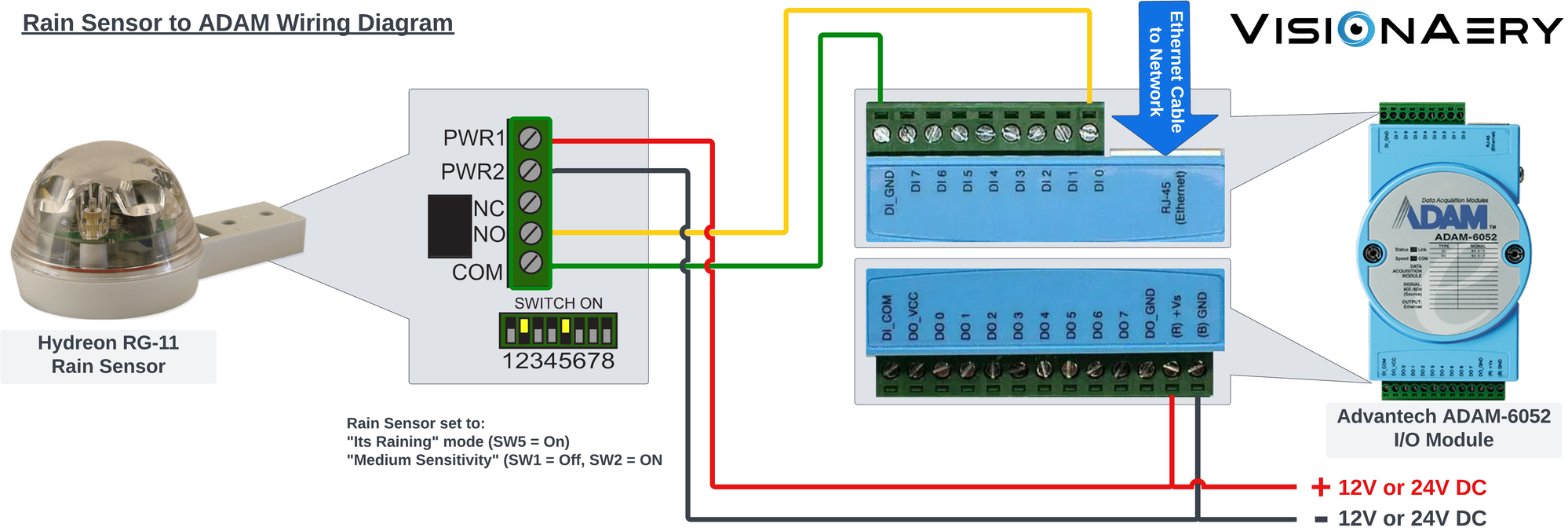
Rain leaves real puddles. Give the server a rain source and puddle alarms pause while it rains and through a post-rain timer, then run at one step lower sensitivity through a forgiveness window so drying ground does not alarm.
A rain sensor on an Advantech ADAM module, read by the server. The recommended connection for a physical sensor.
An HTTP report from your weather station or SCADA to the server's console port, with its own ingest-only credential.
With internet access from the server, connect to a web-based weather service. Use weather data for the site's coordinates to control the application's rain function. A failed weather lookup never blocks detection.
A Raining button on the console for an operator, with Clear and End timer to step out of the sequence early.
A device can hold several rain sources, each with its own timers, and every channel follows the default source, a named one, or none. Digital inputs work the same way for any other on/off condition a site wants to pause detection on.
Shape LLD data to fit your existing systems, from how often it arrives to the visual context it carries.
Choose how often each channel publishes every zone's fill percentage, stage and detection status. Alarms go out only on a transition.
Attach a Base64 snapshot of the channel, with the overlay, without, or both, to alarms, telemetry, or both, at the size you choose. A device default any channel can override.
Set the device ID and topic prefix once; every payload and topic names its channel and zone.
Every channel's settings page shows the exact payload it will send and a Send test event button for every enabled output.
One device-wide alarm history, filterable by channel and zone, with the overlay and original snapshot pair kept for every record, for as long as you set.
Backup and restore of the whole configuration, operator accounts with read-only access and shift actions, a system check, and a debug log for every process.
ASUS IoT PE1100N (Orin NX / Orin Nano), ASUS IoT PE2100N (AGX Orin), Advantech MIC-711, Axiomtek AIE510-ONX. Earlier generations of VisionAery leak detection have run on the ASUS PE1100N in the field. We don't sell hardware; we'll connect you with a distributor.
| Plan | Price | Includes |
|---|---|---|
| Annual | $500 per camera channel per year | Software support (updates, upgrades, feature additions, bug fixes, security updates, model updates, data retrainings, and staff training) · email support |
| Perpetual | $1,500 per camera channel, one time | Optional support plan at $150 per year for the same software support |
| Volume | Custom | Orders above 1,000 licenses |
| Trial | Free, 30 days | Full features, one camera channel; longer on request. Request a trial |
A camera channel is one camera on an on-camera install, or one RTSP stream on an on-server install. Prices are in USD, software only, and exclude cameras, servers, installation, taxes and duties.
Ships November 15, 2026
Questions
On your site. In your systems.